Your scanner is already in your pocket Snap the receipt, the PDF is done.
Cam2PDF crops, straightens and reads the text for you. Your documents never leave your phone - no cloud, no account, no ads.
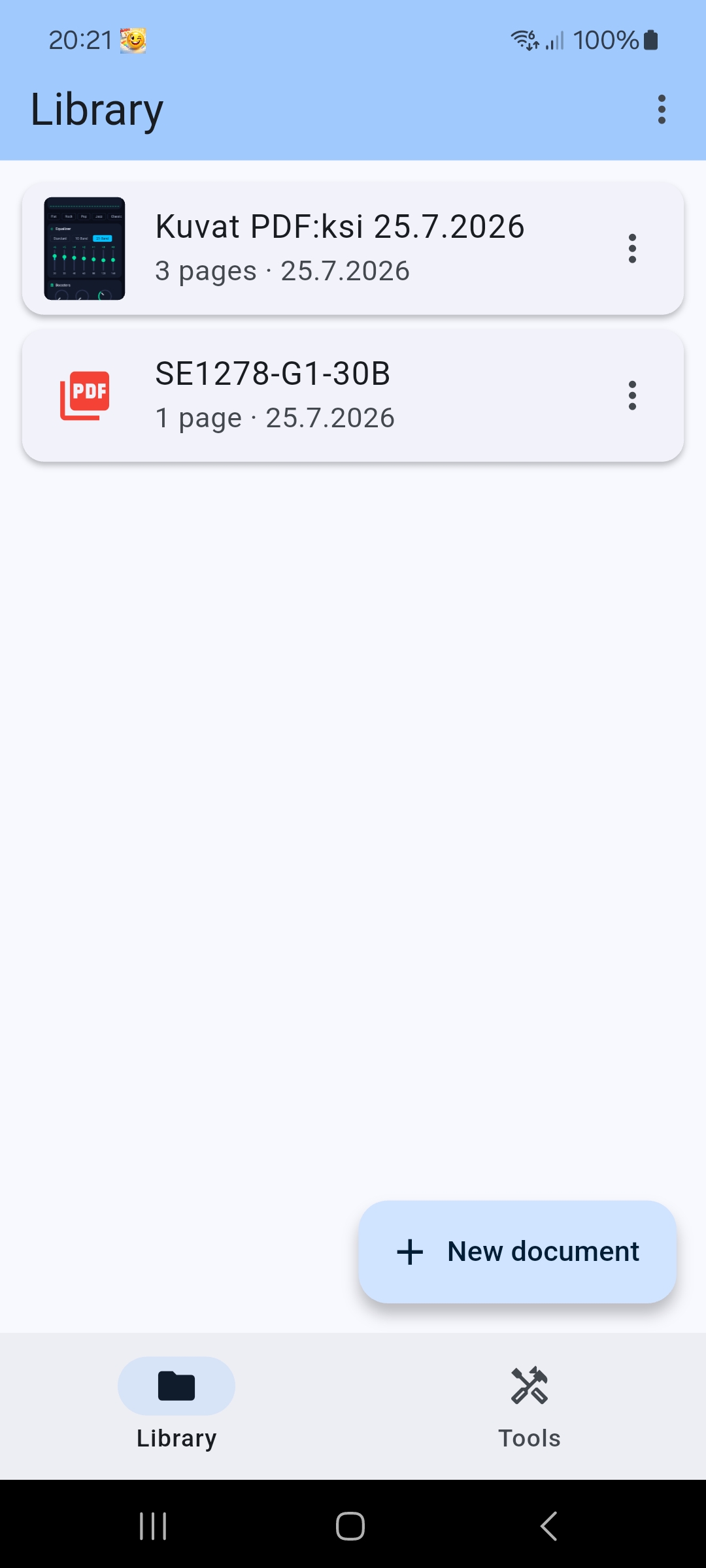
Library
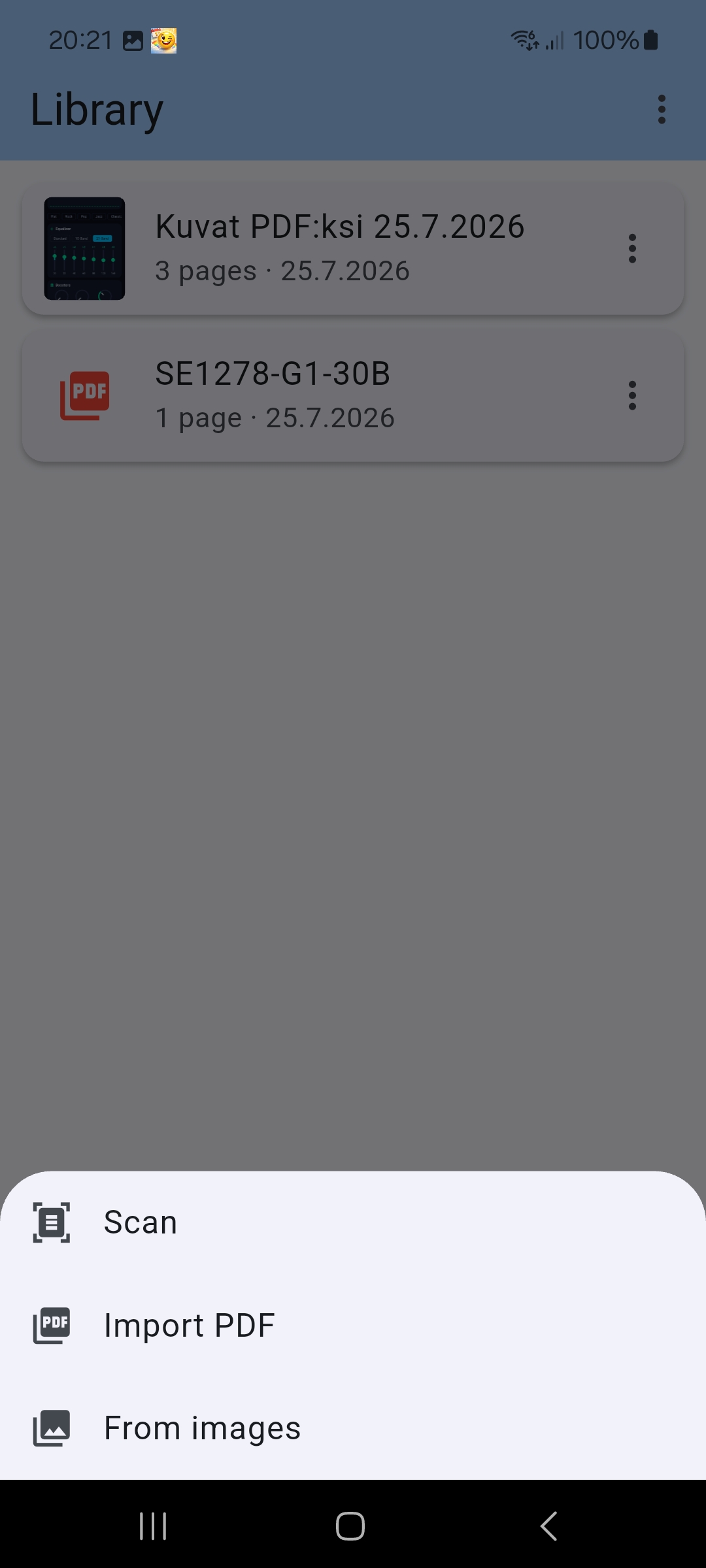
New document
Three ways to start
One button gathers every way to create a document. No hunting through menus.
Scan
Automatic edge detection finds the paper and straightens the image. Many pages in one go.
Import PDF
Bring in a PDF you already have and edit it with the same tools.
From images
Pick photos from your gallery and they become one tidy PDF.
The whole PDF toolkit, with you
Merge several documents, split one into many, extract pages, compress the file size, add a watermark or page numbers. All right on the phone - no uploads, no accounts, no files sent to a server.
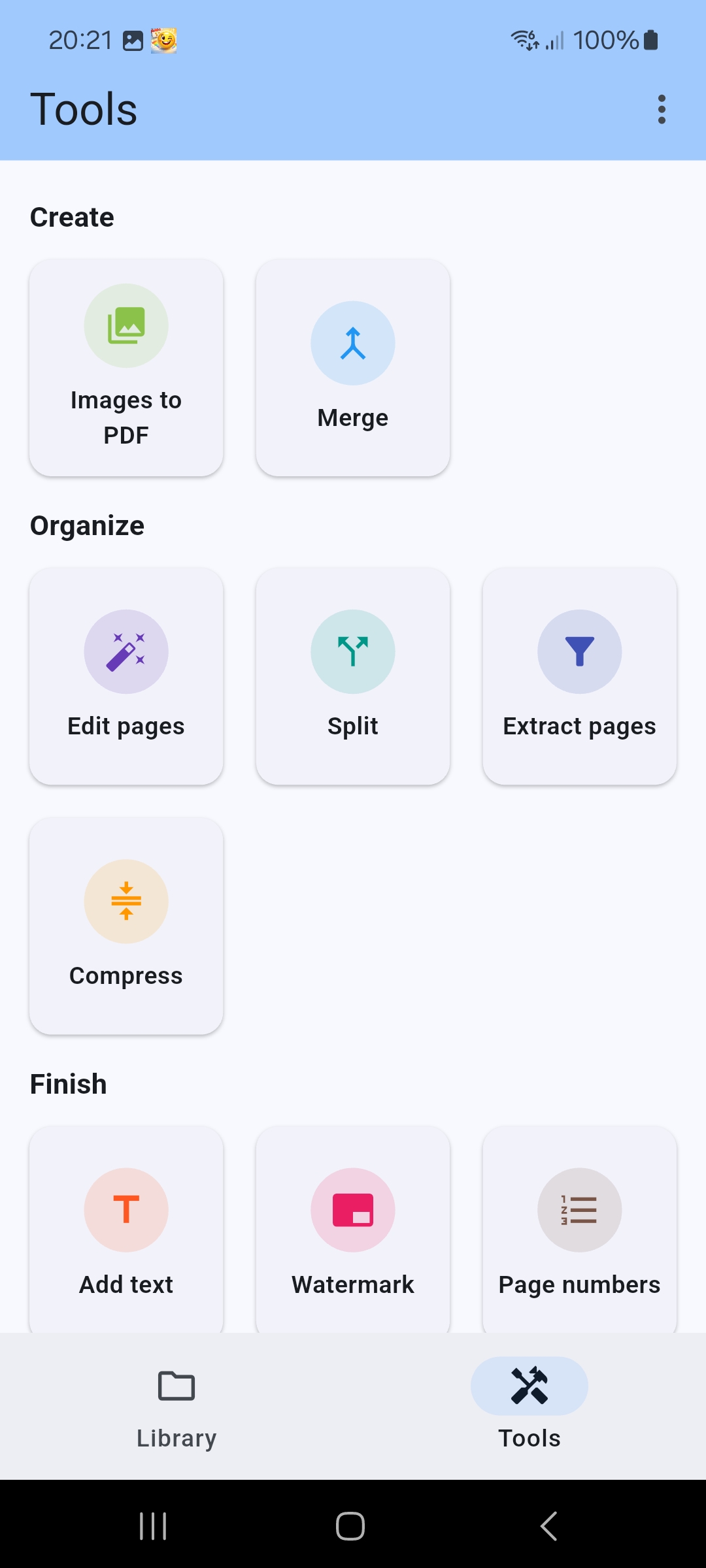
Tools
The PDF exactly as you want it
Choose page size, margins, colour mode and image quality. Black and white shrinks the file to a fraction when you send a receipt to accounting. A document can also be transferred to another device in editable form.
A scan you can copy text out of. OCR pulls the text out of a scanned document and can export it to Word. Recognition runs entirely on your device - your images go neither to Google nor to us.
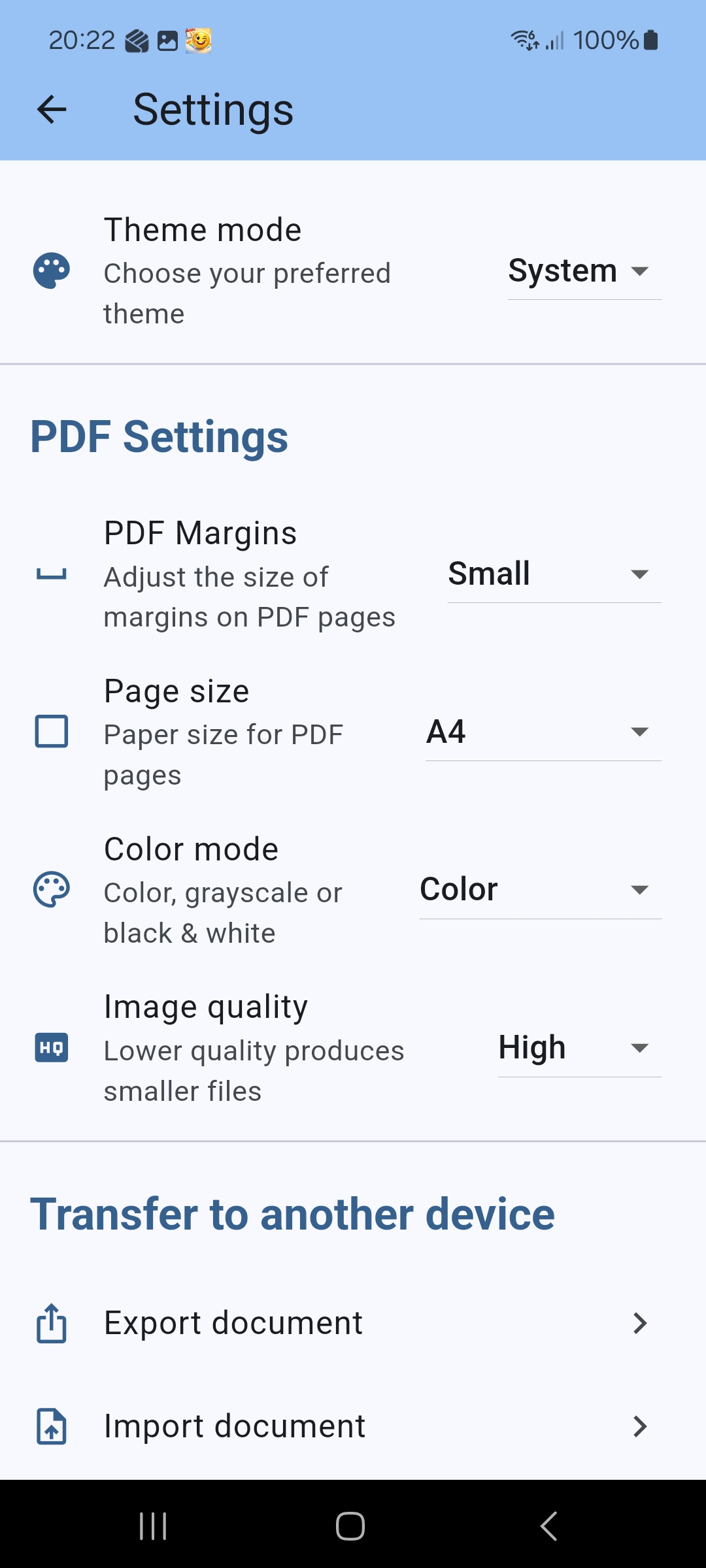
Settings
How it works
Four simple steps to create a PDF
New document
Tap "New document" and choose scanning, importing a PDF, or photos from your gallery.
Arrange the pages
Drag the pages into order, re-crop or delete the ones you do not need. Changes save themselves.
Finish up
Merge, compress or add text with the Tools tab if the document needs more work.
Share or save
Send the PDF wherever you like with the share button: email, the cloud, or your phone's storage.
Start free
Scanning, organising pages and keeping documents are always free. Premium removes the limits.
Free
Free
- Unlimited scanning and page organising
- One PDF export per day
- Every tool to try once
- No ads, no account
Premium
Subscription
- Unlimited PDF exports
- Every tool without limits
- OCR text extraction and Word export
- Cancel any time
After the trial the subscription continues as paid unless you cancel before it ends. The price is shown in Google Play before you confirm.
Your privacy is protected
Cam2PDF does not collect, store or transmit your data, and your documents never leave your device. The one exception: purchases and updates go through Google Play, where Google handles the payment details under its own terms - we never see them.
- ✓ We collect none of your data
- ✓ No analytics, no ad tracking
- ✓ No advertising ID
- ✓ No sign-up
The next receipt needs no scanner
Download Cam2PDF and try Premium free for a week.